Understand where your time goes.
Entirely offline.

Focus automatically turns your computer activity into a clear picture of how you spend your day — without accounts, cloud syncing, or manual timers.

Download for Windows Download for Windows
No account No cloud sync 30-day history

Your workday, made visible.

Focus runs quietly in the background and organizes your computer activity into something you can actually understand.

VS Code3h 14m
Chrome2h 07m
Slack51m

Applications

See which applications and websites occupied your time throughout the day.

Categories

Understand how your time divides between development, communication, research and everything else.

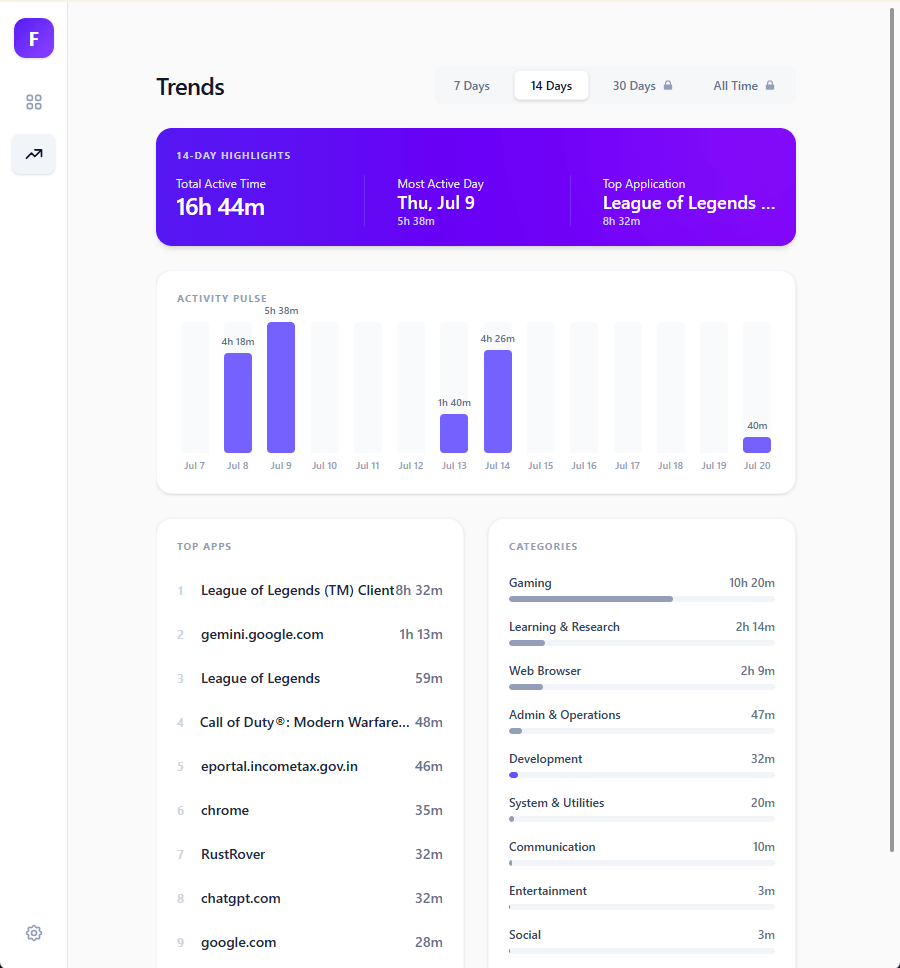
Trends

Look beyond today and see how your patterns change across days and weeks.

How it works

Focus is built on a simple promise: your activity stays on your machine. Here's how it works.

Step 1

Install & launch

A native Windows app that runs quietly in the background. No accounts, no setup wizard — just install and go.

Step 2

What it sees

Focus observes active app names and browser tab titles to build a picture of where your time goes — nothing more.

Step 3

Where it lives

Everything is stored in a local database on your device. No upload, no account, no cloud sync — your data never leaves your computer.

Step 4

You stay in control

Pause or resume tracking anytime, delete your history, or disable website tracking — all from within the app.

Your data stays yours. Activity data is used only to build your personal timeline and never leaves your device. No telemetry, no analytics, no third-party access.

Your workday belongs to you.

Focus observes sensitive information about how you use your computer. We designed the architecture accordingly. Your detailed activity stays on your device.

  • Stored locally

    Your detailed activity history is stored on your computer, never uploaded.

  • No account required

    There's no Focus account between you and your own data.

  • You're in control

    Pause or resume activity tracking whenever you want directly from the app.

Read our Privacy Policy

Quiet by design.

A native Windows application built to stay out of your way.

Automatic

No stopwatches to click.

Lightweight

Designed for background use.

Offline

Works without a cloud connection.

Download Focus

Your personal time intelligence engine for Windows. Free during our early beta.

Version 0.1.5-beta · 8.4 MB · Windows 10/11

Download for Windows Download for Windows

Free · No account required · No cloud sync

Windows 10 (x64)
Windows 11 (x64)
100% offline
No account needed
Local-first
Data never leaves your device
Auto-updates
Latest features, seamlessly
Transparent
Optional telemetry, disable anytime

Frequently Asked Questions

Yes. Focus automatically records active application and website usage while it runs, so you don't need to manually start and stop timers. It turns that activity into daily summaries and trends you can review later.

Your detailed application and website activity is stored locally on your computer and isn't synced to Ripple Studios.

Yes. Focus tracks active browser website usage to help you understand where your browser time goes. This detailed activity stays on your computer.

Yes. You can pause and resume activity tracking at any time directly from the application.

Focus provides daily summaries and lets you explore activity trends across the last 30 days.

Focus is currently free during our early beta period.

© 2026 Ripple Studios